SIMATIC S7-200 SMART – A Compact solution for Automation
SIMATIC S7-200 Smart a compact PLC for industrial application. Its motive is to control and monitor automation and activities in manufacturing and other industries. It is Compact in size, gives high performance, and scalability, that is why it is ideal where space is limited, and it is a cost-effective solution. And its Compatibility with other Siemens automation products makes it a versatile choice for a wide range of automation tasks. It is vastly uses in an industrial plant.
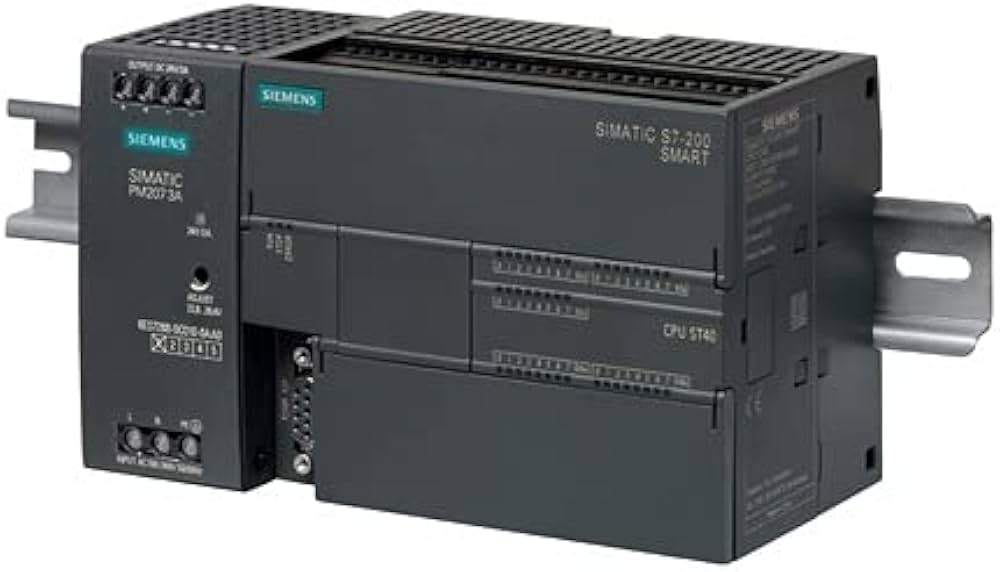
SIMATIC S7-200 Smart, because of its small size it saves space and simplifies installation and ensures fast and reliable operation. These features of Simatic S7-200 improves efficiency by optimizing space usage, and reducing downtime, and enables flexible automation solution.
The SIMATIC S7-200 SMART offers:
- It’s Process Speed Ranges from 60 MHz to 1.2 GHz.
- It has Memory Capacity of Internal memory from 24 KB to 512 KB, Expandable external memory up to 2 MB.
- It’s I/O Points are Configurable digital and analog I/O points ranging from 10 to 248.
- Communication: Supports RS232, RS485, Ethernet, and Profibus.
- Programming Languages Supports ladder logic (LAD), function block diagram (FBD), and structured text (ST).
Simatic S7-200 SMART finds application in various industries like, Manufacturing, Building Automation, Water Treatment, Food and Beverage, Automotive, and Utilities
How to connect PC with SIMATIC S7-200 SMART?
To connect a PC with a SIMATIC S7-200 SMART PLC:
First use a programming cable (ex. USB), then install STEP 7 Micro/WIN software next connect cable to PLC's programming port and PC, further, configure software communication settings, now establish Connection in STEP 7 Micro/WIN, lastly use software for programming and monitoring PLC. These are the basic steps to connect PC with S7-200 SMART.
Conclusion:
The SIMATIC S7-200 SMART offers flexibility in industrial automation. With its compact design and capabilities. With seamless integration and user-friendly interfaces, the S7-200 SMART drives productivity and innovation in diverse industrial applications.
